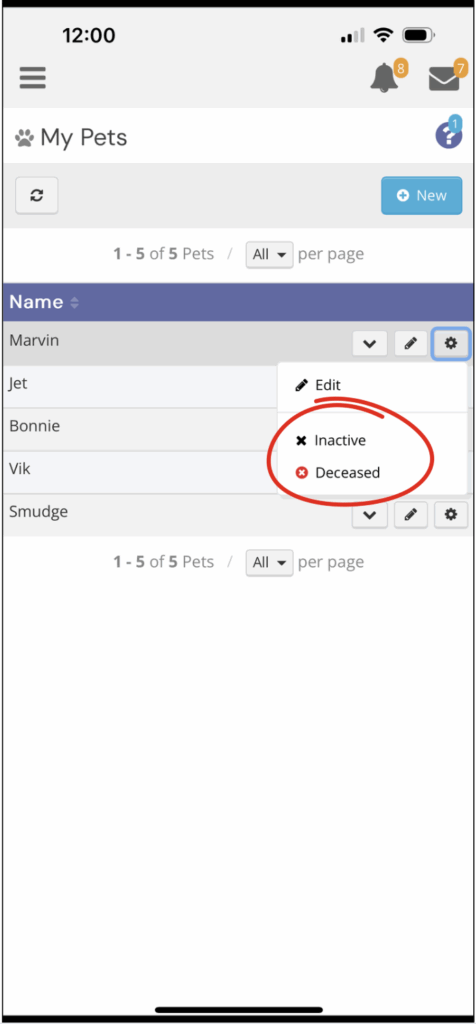

If you no longer need a pet profile in your account—whether your pet has sadly passed away (Deceased) and/or you simply no longer need services for them (Inactive)—you can archive the profile without permanently deleting it. Follow these steps:
- Login to your client account using your credentials
- Tap the ☰ menu (top left corner)
- Select Petcare > My Pets
- Find the pet you’d like to remove
- Tap the settings icon (⚙️) next to the pet
- In the Status dropdown, choose either Inactive or Deceased