

If your pet’s routine has changed, you need to update outdated info, or you’d like to add new details to an existing pet profile, follow these steps:
- Log in to your client account using your credentials
- Tap the ☰ menu (top left corner)
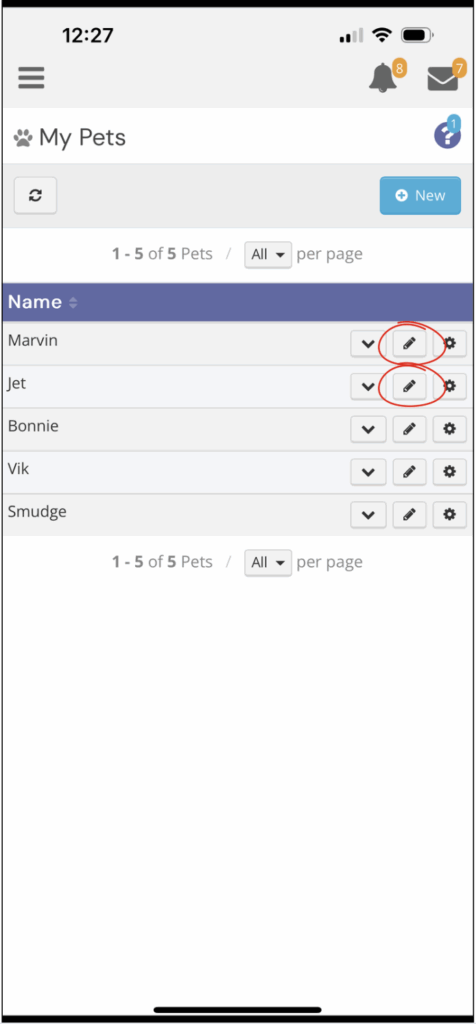
- Select Petcare > My Pets
- Locate the pet profile you’d like to edit/update
- Tap the pencil icon (✏️) next to the pet
- Make your updates
- Click Save at the bottom of the page
Adding Winter Walk Notes
To help our team provide the best care during colder months, you can set specific winter preferences right in your pet’s profile.
In the pet editing form, look for a section labeled one of the following:
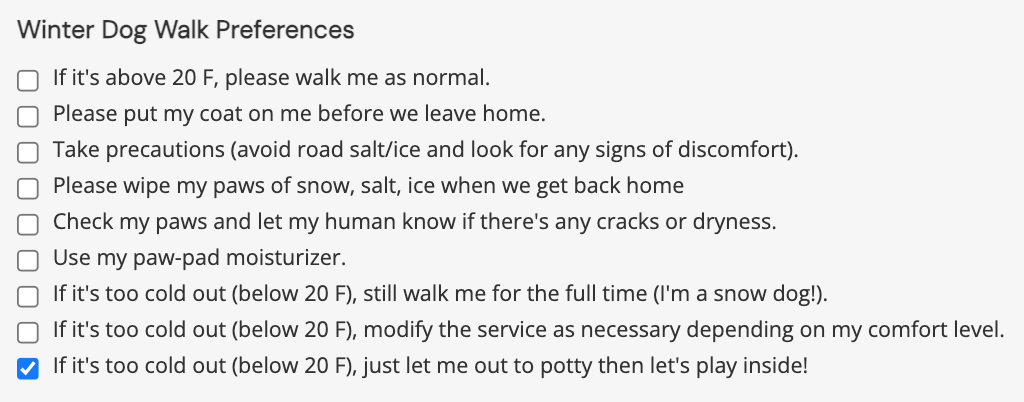
- Details > “Special things to know about me” > + Show/Hide > Winter Dog Walk Preferences
- Notes > “*My winter walks routine is…”
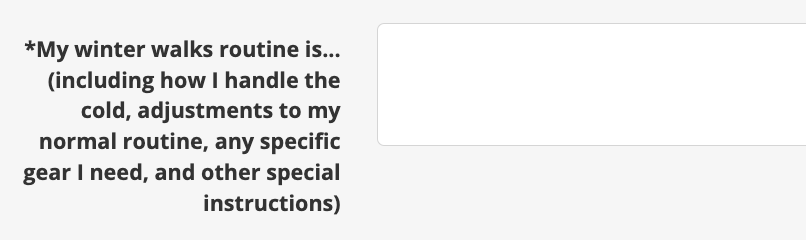
Here, you can add details like:
- Temperature Limits: The lowest temperature your dog should be walked in.
- Booties/Paw Wear: Whether your dog uses them and any specific instructions.
- Coats or Sweaters: If your dog needs a jacket and where it’s kept.
- Paw Care: Notes on using paw balm or wiping paws after walks.
- Shorter Walk Preference: A note that you’re okay with shorter walks in ice or snow.
- Visibility: Preferences for reflective gear or lights.
Need a reminder on how to get to this page? Jump to the steps above for editing pet details.